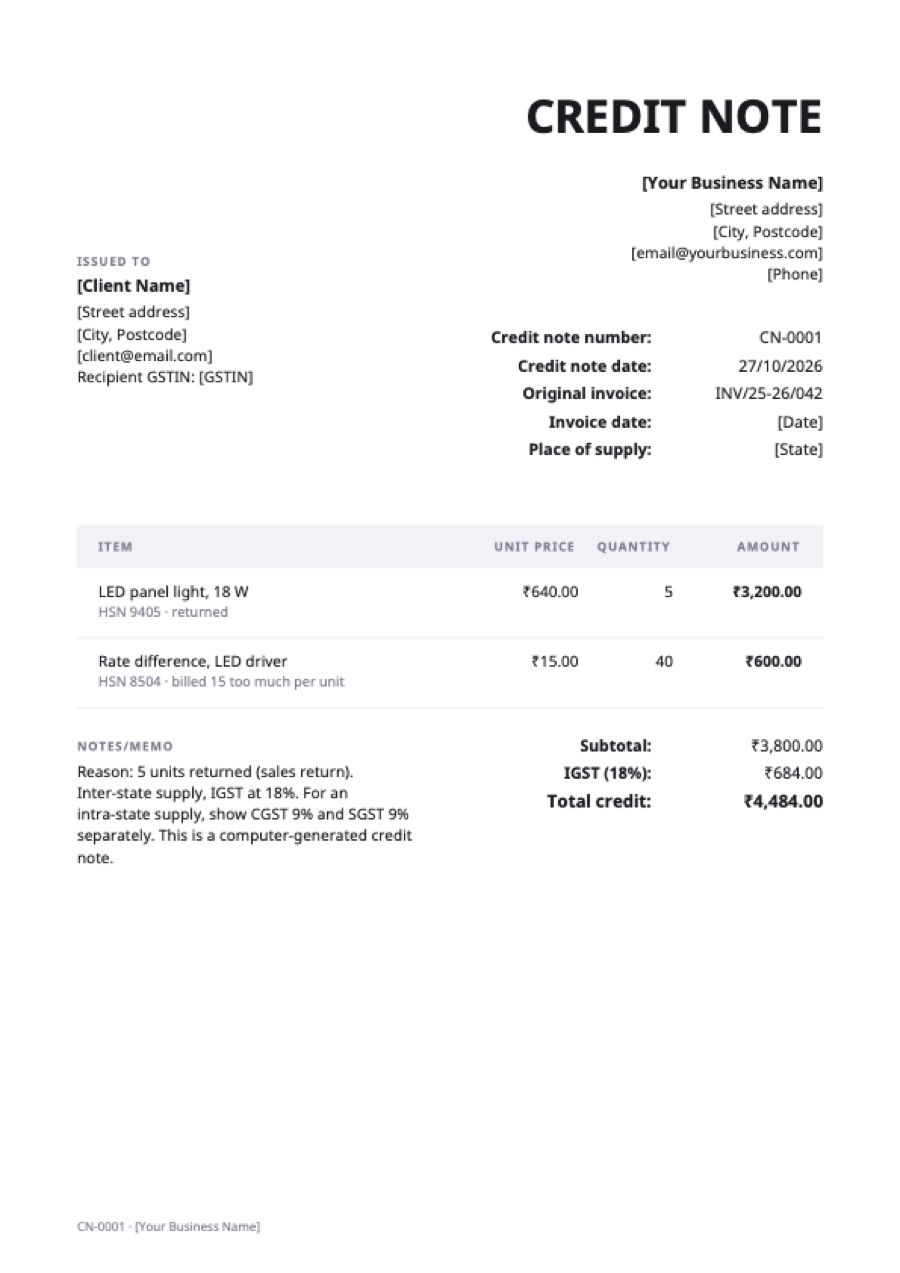
What’s on the gst credit note (india)
Extra fields on this template: Original invoice, Invoice date, Place of supply, Recipient GSTIN.
| Item | Qty | Rate | Amount |
|---|---|---|---|
| LED panel light, 18 WHSN 9405 · returned | 5 | ₹640.00 | ₹3,200.00 |
| Rate difference, LED driverHSN 8504 · billed 15 too much per unit | 40 | ₹15.00 | ₹600.00 |
| Subtotal | ₹3,800.00 | ||
| IGST (18%) | ₹684.00 | ||
| Total credit | ₹4,484.00 | ||
Example prices in Indian rupees. Replace them with your own; in the generator, any currency works.
When a GST credit note is issued
Under section 34 of the CGST Act, a registered supplier issues a credit note when:
- the taxable value or tax charged on a tax invoice is more than it should be;
- the recipient returns goods; or
- goods or services supplied are found to be deficient.
The credit note must be declared in your GST return for the month it’s issued, and no later than 30 November following the end of the financial year of the original supply, or the date you file the annual return, if earlier.
What the credit note must show (rule 53)
- the supplier’s name, address and GSTIN;
- the nature of the document, here “Credit note”;
- a consecutive serial number, unique for the financial year, of up to 16 characters;
- the date of issue;
- the recipient’s name, address and GSTIN (if registered);
- the serial number and date of the original tax invoice;
- the taxable value, the GST rate and the GST credited;
- the signature of the supplier or an authorised representative.
Show CGST and SGST separately for an intra-state supply, or IGST for an inter-state one. The generator has one tax line, so for CGST and SGST put the split in the notes, or use the Excel file and add a row.
If you issue e-invoices
Businesses above the e-invoicing turnover threshold (₹5 crore at the time of writing) must report credit notes on the Invoice Registration Portal and print the IRN and QR code on them. This template is for businesses below the threshold, or for drafts.
Before you rely on it
This page summarizes the rules as published by the GST Council and CBIC; it isn’t tax advice, and the rules change. Check the current guidance, or ask your accountant, before you issue credit notes in volume. If your business is required to issue electronic invoices through a government system, credit notes usually have to go through that system too, and a PDF made here doesn’t replace it.
Frequently asked questions
What is the time limit for a GST credit note?
It must be declared in a return no later than 30 November after the end of the financial year of the original supply, or the date the annual return is filed, whichever is earlier.
Who issues a credit note under GST?
The supplier. A recipient returning goods may send a debit note to the supplier as a request, but only the supplier’s credit note reduces the GST.
Can a credit note be issued without GST?
A financial credit note, such as a discount not agreed before the sale, can be issued without reducing GST. Then the GST isn’t credited and the recipient doesn’t reverse its input tax credit.