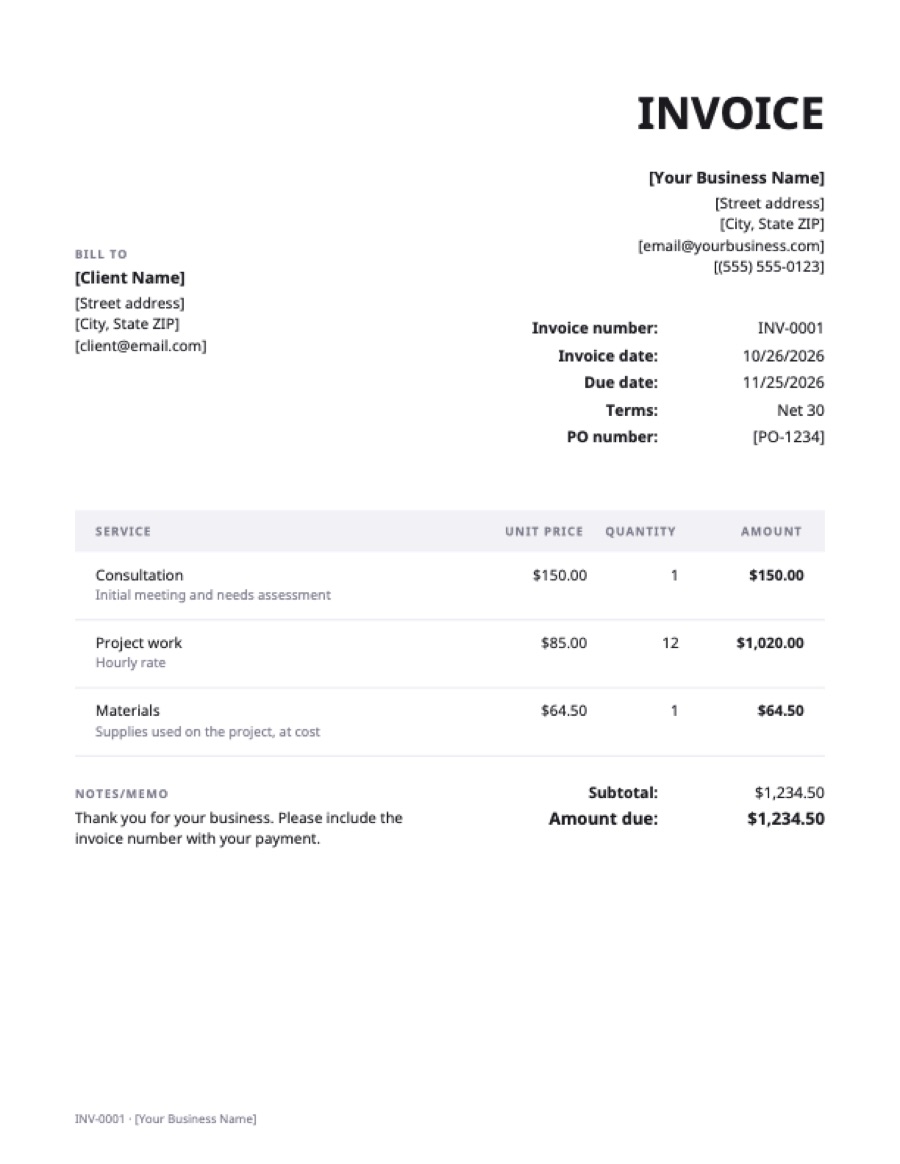
What’s on the excel invoice template
Extra fields on this template: PO number.
| Service | Qty | Rate | Amount |
|---|---|---|---|
| ConsultationInitial meeting and needs assessment | 1 | $150.00 | $150.00 |
| Project workHourly rate | 12 | $85.00 | $1,020.00 |
| MaterialsSupplies used on the project, at cost | 1 | $64.50 | $64.50 |
| Total | $1,234.50 | ||
Example prices in US dollars. Replace them with your own; in the generator, any currency works.
How to use the Excel invoice template
- Download it and open it in Excel (Windows, Mac or Excel for the web). Click “Enable editing” if Excel opens it in Protected View.
- Replace the bracketed text with your business and client details.
- Set the invoice number, date and due date.
- Edit the lines. Type a description, quantity and rate; the amount fills in. Insert rows inside the line block so the subtotal still covers them.
- Enter your tax rate, or leave it at 0%.
- Save as PDF (File → Save As → PDF, or File → Export → Create PDF) and send the PDF.
Making it your own
- Add your logo with Insert → Pictures, above your business name.
- Save a master copy as an Excel template (.xltx) so each new invoice starts from a blank file.
- Add a discount as a line with a negative amount, or a row between subtotal and tax.
- Track invoices on a second sheet: number, client, amount, due date, date paid.
When a spreadsheet stops being enough
Excel is fine for a handful of invoices a month. It gets harder when you need numbering that never repeats, a record of what’s unpaid, or reminders. At that point an invoicing tool saves time. Billsato’s free generator makes the PDF without the spreadsheet, and Billsato Pro keeps your clients, numbering and paid/unpaid status for $10 a month.
Frequently asked questions
Is this Excel invoice template free?
Yes. Download and use it as often as you like, for personal or commercial work. No sign-up.
Does Excel have built-in invoice templates?
Yes. Excel offers invoice templates under File → New when you search “invoice”. This one is a simple layout with tax, PO number and payment details that also works in Google Sheets and Numbers.
How do I add sales tax in the Excel template?
Type your rate in the tax-rate cell, for example 8.25%. The tax and total update automatically. Leave it at 0% if you don’t charge tax.
Can I open it on a Mac?
Yes, in Excel for Mac, Apple Numbers or Google Sheets. The formulas work in all three.