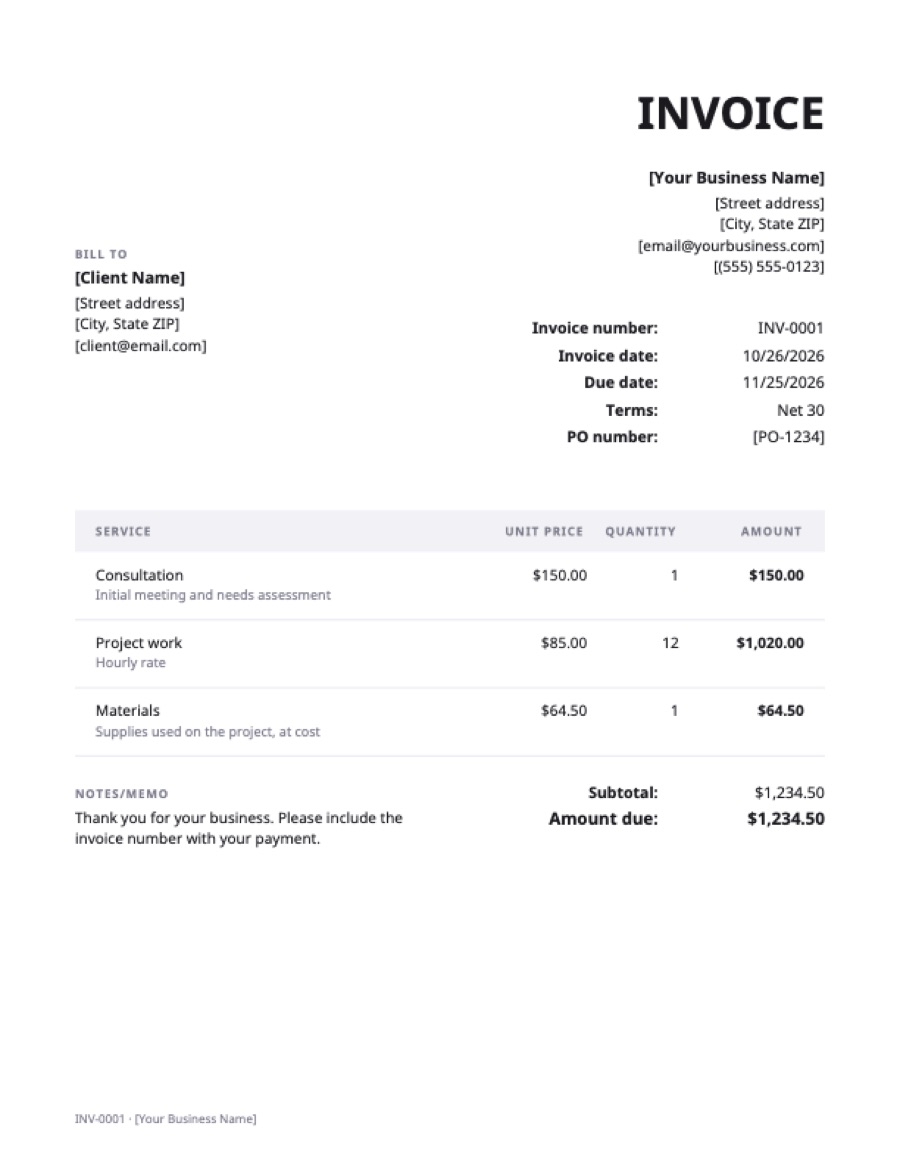
What’s on the google docs invoice template
Extra fields on this template: PO number.
| Service | Qty | Rate | Amount |
|---|---|---|---|
| ConsultationInitial meeting and needs assessment | 1 | $150.00 | $150.00 |
| Project workHourly rate | 12 | $85.00 | $1,020.00 |
| MaterialsSupplies used on the project, at cost | 1 | $64.50 | $64.50 |
| Total | $1,234.50 | ||
Example prices in US dollars. Replace them with your own; in the generator, any currency works.
How to open the template in Google Docs
- Download the Word file (.docx) above.
- Go to Google Drive and choose New → File upload, then pick the file. Or, in Google Docs, choose File → Open → Upload.
- Open it with Google Docs. If Drive shows a .DOCX label next to the title, choose File → Save as Google Docs to get a native copy that’s easier to edit and share.
- Rename the copy, for example Invoice template, and keep it as your master. For each new invoice, use File → Make a copy.
Filling it in
Replace the bracketed text with your details and the client’s, set the invoice number and dates, and edit the table rows. Google Docs doesn’t add up tables, so work out each amount, the subtotal, tax and total yourself. When it’s done, choose File → Download → PDF Document and email the PDF.
If you’d rather have totals that calculate themselves, use the Google Sheets template, which has the formulas built in, or fill the invoice in online and download the PDF directly.
Tips for invoicing from Google Docs
- Keep one master copy and duplicate it, so you never overwrite last month’s invoice.
- Put all invoices in one Drive folder and name them with the number and client.
- Track numbers in a sheet: number, client, date, amount, date paid. Invoice numbers should never repeat or be skipped without a reason.
- Don’t share the Doc with the client. Send the PDF; a shared Doc can be edited and its history shows your other drafts.
Frequently asked questions
Is there a Google Docs invoice template?
Google Docs has a few built-in invoice templates in its template gallery, depending on your account. This one is a plain, professional layout you add by uploading the .docx to Drive and opening it with Google Docs.
Can Google Docs calculate invoice totals?
No, tables in Google Docs don’t calculate. Use the Google Sheets version for automatic totals, or the online generator.
How do I send a Google Docs invoice?
Choose File → Download → PDF Document, then attach the PDF to an email. Avoid sending a link to the Doc itself.