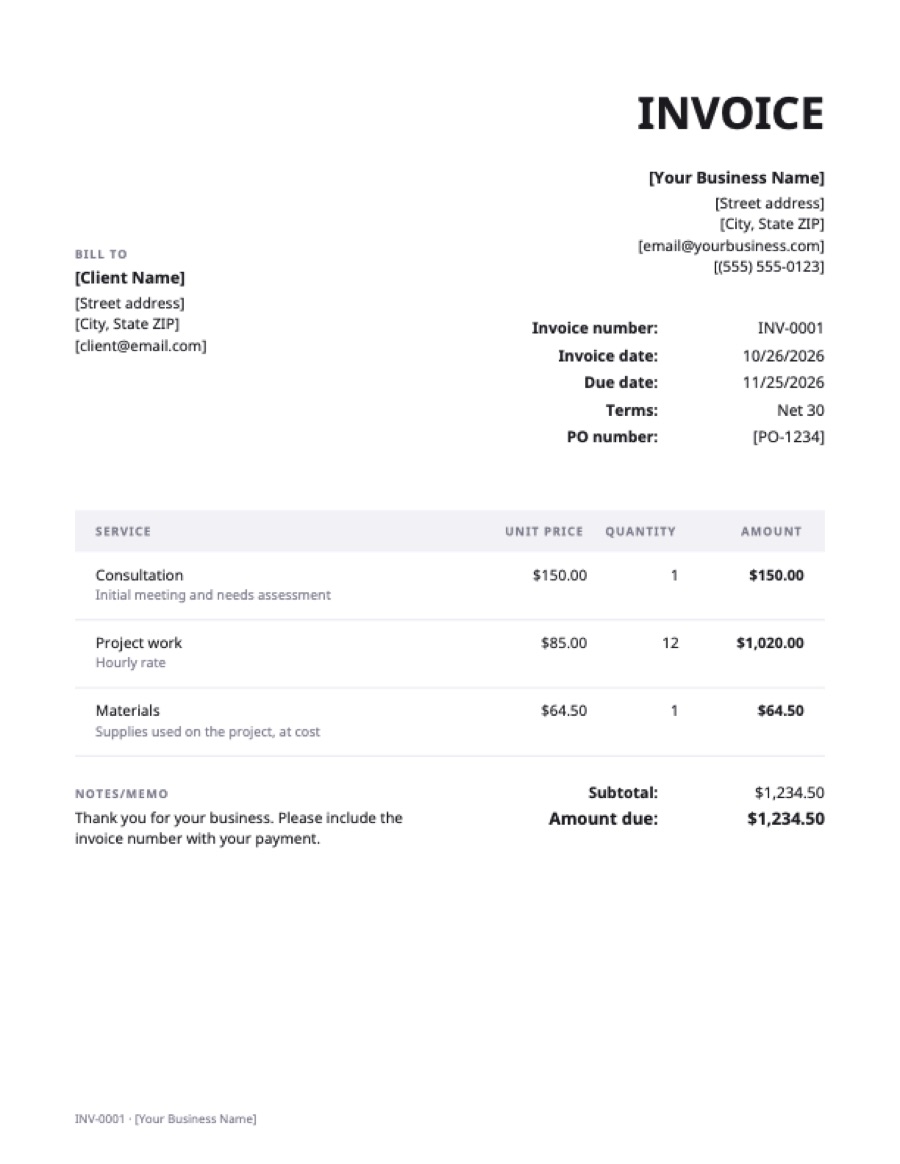
What’s on the pdf invoice template
Extra fields on this template: PO number.
| Service | Qty | Rate | Amount |
|---|---|---|---|
| ConsultationInitial meeting and needs assessment | 1 | $150.00 | $150.00 |
| Project workHourly rate | 12 | $85.00 | $1,020.00 |
| MaterialsSupplies used on the project, at cost | 1 | $64.50 | $64.50 |
| Total | $1,234.50 | ||
Example prices in US dollars. Replace them with your own; in the generator, any currency works.
Two ways to use this PDF template
Fill it in online (recommended). Open the template in the free generator, type your details over the sample, and download the result. The generator adds up each line, the subtotal, tax and total for you, adds your logo if you have one, and saves a clean PDF named after the invoice number. Nothing is uploaded: the PDF is made in your browser.
Print it. The PDF download has every field an invoice needs, with sample lines you can strike through. It works for cash jobs and markets, but you’ll have to add up the totals yourself and keep a copy for your records.
Why send invoices as PDF
- It looks the same everywhere. A Word or Excel file can shift its layout on the client’s computer; a PDF prints exactly as you made it.
- It’s harder to change. Clients and their accounts teams can’t accidentally edit the amount.
- Accounts payable teams expect it. Many companies only accept invoices as PDF attachments, and some scan them into their system automatically.
- It’s small. A one-page invoice is usually well under 100 KB, so it never bounces off an email attachment limit.
What the template includes
Your business name, address, email and phone; the client’s name and address; an invoice number, invoice date and due date; payment terms; line items with quantity, rate and amount; subtotal, tax and total; and space for payment instructions and a note. That covers what clients and tax authorities generally expect to see on an invoice. If you’re registered for sales tax or VAT, add your tax number in the business details.
How to edit a PDF invoice you already downloaded
PDFs aren’t made to be edited. You can type over one with a PDF editor or the “Fill & Sign” tools in Adobe Acrobat Reader or Apple Preview, but the totals won’t recalculate. It’s quicker to make the change in the generator and download a new PDF. If you need an editable file to keep, use the Word or Excel version instead.
Frequently asked questions
Is this PDF invoice template free?
Yes. The download and the online generator are both free, with no sign-up and no watermark, for personal or commercial use.
Can I fill in a PDF invoice on my phone?
Yes. Open the template in the generator on your phone, fill it in, and download the PDF to share by email or message. There is nothing to install.
Should I send a PDF or a Word invoice?
Send a PDF. Keep the Word or Excel version for yourself if you like editing a file, but the client should receive a PDF, which they can open anywhere and can’t change by accident.
Can I add my logo to the PDF?
Yes, in the online generator: upload a PNG, JPG or SVG and it prints at the top of the invoice. The printable download has a space at the top for your business name.