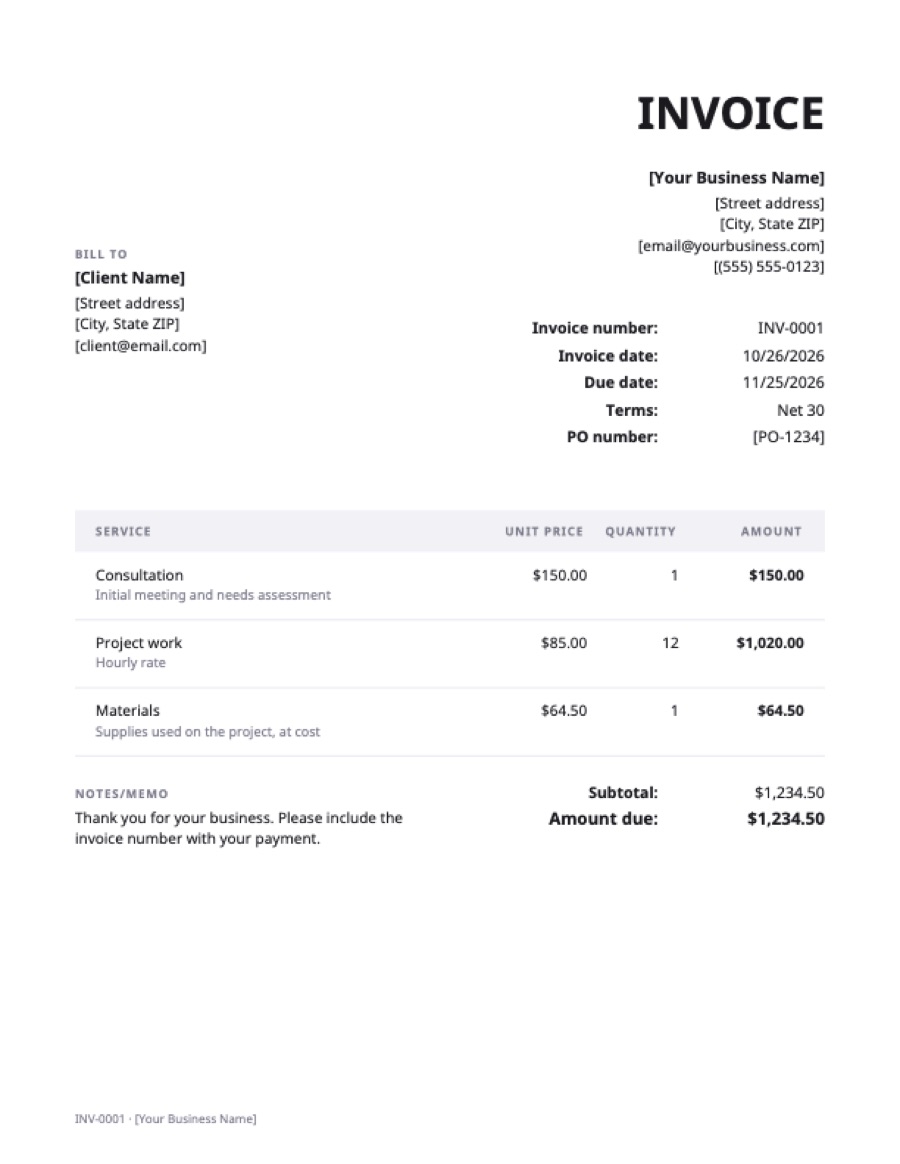
What’s on the google sheets invoice template
Extra fields on this template: PO number.
| Service | Qty | Rate | Amount |
|---|---|---|---|
| ConsultationInitial meeting and needs assessment | 1 | $150.00 | $150.00 |
| Project workHourly rate | 12 | $85.00 | $1,020.00 |
| MaterialsSupplies used on the project, at cost | 1 | $64.50 | $64.50 |
| Total | $1,234.50 | ||
Example prices in US dollars. Replace them with your own; in the generator, any currency works.
How to open it in Google Sheets
- Download the spreadsheet (.xlsx) above.
- In Google Sheets, choose File → Import → Upload and pick the file, then “Replace spreadsheet” or “Insert new sheet”. Or upload it to Drive and open it with Google Sheets.
- Save it as a Google Sheet (File → Save as Google Sheets) if Drive shows an .XLSX label.
- Keep this copy as your master and use File → Make a copy for each invoice.
What calculates automatically
- Each line amount = quantity × rate.
- Subtotal = the sum of the line amounts.
- Tax = subtotal × the tax rate you type in the tax-rate cell (leave it at 0% if you don’t charge tax).
- Total = subtotal + tax.
To add a line, insert a row inside the line-item block (right-click a row number → Insert 1 row above), so the subtotal formula includes it. Copy the amount formula down into the new row.
Sending the invoice
Choose File → Download → PDF, set it to fit the width of the page, and attach the PDF to an email. Don’t send the sheet itself: the client could change it, and a shared Sheet exposes any other tabs you keep in it. If you don’t want to fiddle with print settings, fill the invoice in online and download a ready-made PDF.
Frequently asked questions
Does Google Sheets have an invoice template?
Google Sheets has a basic invoice template in its gallery for some accounts. This one adds a tax rate, a PO number field and payment instructions, and works the same in Excel.
Can I keep a list of invoices in the same spreadsheet?
Yes. Add a second tab with one row per invoice: number, client, date, amount, due date and date paid. It doubles as your record of income.
Will the formulas work in Excel too?
Yes. The file is a standard .xlsx with simple formulas (multiplication and SUM) that work the same in Excel, Google Sheets, Numbers and LibreOffice.