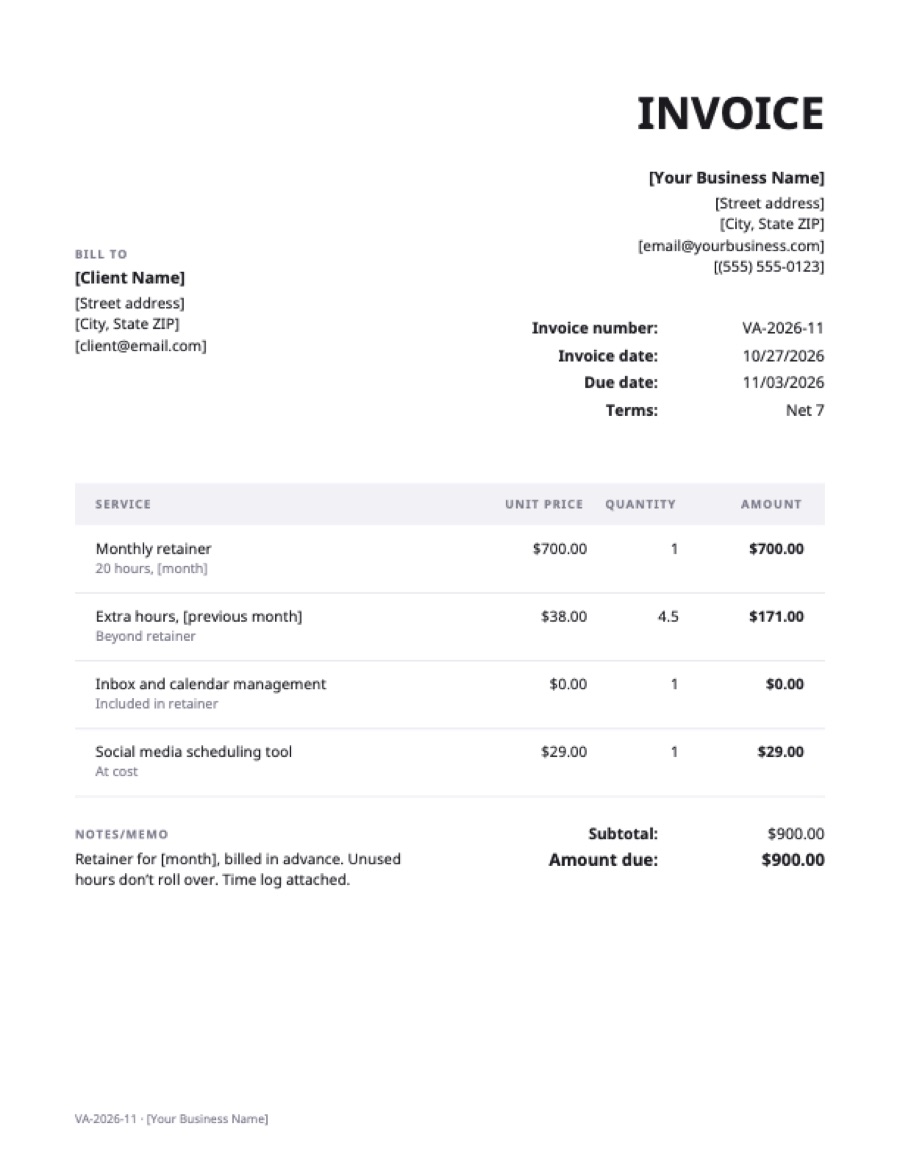
What’s on the virtual assistant invoice template
| Service | Qty | Rate | Amount |
|---|---|---|---|
| Monthly retainer20 hours, [month] | 1 | $700.00 | $700.00 |
| Extra hours, [previous month]Beyond retainer | 4.5 | $38.00 | $171.00 |
| Inbox and calendar managementIncluded in retainer | 1 | $0.00 | $0.00 |
| Social media scheduling toolAt cost | 1 | $29.00 | $29.00 |
| Total | $900.00 | ||
Example prices in US dollars. Replace them with your own; in the generator, any currency works.
What to put on a virtual assistant invoice
- The period and whether the retainer is billed in advance.
- Retainer hours and what happens to unused hours.
- Extra hours beyond the retainer, at your hourly rate.
- Tasks by category (inbox, calendar, bookkeeping, social media) or a time log attached.
- Tools and subscriptions billed at cost.
Billing the retainer in advance and extra hours in arrears, as in this template, keeps your income steady.
Frequently asked questions
Should a VA bill hourly or by retainer?
Retainers give steady income and suit ongoing work; hourly suits occasional clients. Many VAs combine the two.
Do unused retainer hours roll over?
That’s your policy to set. State it in your agreement and on every invoice.
Do I need to send a time log?
For hourly work, it builds trust. For retainers, a summary of tasks is usually enough.